想讓網站商品頁,能在 Google 與 AI 搜尋中脫穎而出,自動顯示在 FAQ 區塊中?
我們專為 B2B 詢價型商品頁面 打造的這款 FAQ 結構化資料外掛,你只需在商品描述中插入一段連結,就能自動完成以下動作:
抓取對應文章中的 FAQ 內容(含 Bootstrap 折疊區塊)、轉換為 FAQPage JSON‑LD 結構,插入 ,提升語意搜尋可讀性、通過 Google Rich Results Test,讓 FAQ 顯示於搜尋結果中,提升點擊率、
援多種連結格式與多 FAQ 合併處理,靈活嵌入,不限內容撰寫習慣、全自動處理、無需改模板或 JS 操作,一次設定、長期收益。
無論你是行銷人員、開發者,還是正在經營內容型 B2B 產品頁,這都是讓商品頁跳脫模板框架、主動出擊搜尋結果的最佳方法。
一. B2B 商品詢價頁面 SEO 強化外掛
自動嵌入 FAQ 區塊,輸出 JSON‑LD 結構化資料,提升 Google 搜尋曝光
1. 為什麼需要這個外掛?
在 AI 搜尋與 Google Rich Results 的時代,網站商品頁不該只是展示功能與價格。
FAQ 是用戶「搜尋意圖」最常出現的高光時刻(MOT),如果能在商品頁中自動嵌入 FAQ 並輸出結構化資料(FAQPage JSON‑LD),不但提升搜尋排名,也更容易吸引用戶點擊與轉換。
2. 功能亮點一覽
1. 內嵌文章 FAQ:在商品頁中自動顯示來自文章的問與答內容(含 Bootstrap Accordion)
2. 產生 FAQPage JSON‑LD:讓商品頁通過 Google Rich Results Test,自動支援搜尋 FAQ 顯示

3. 零模板修改:無需改佈景或 template,安裝即可用
4. 多連結格式支援:SEF、ID、alias、data-article-id 通通可用
5. 支援多文章合併:一頁多個 FAQ 來源,仍整合為一份 JSON‑LD
6. 只在商品詳情頁觸發:避免誤觸其他頁面
3. 怎麼使用?(90 秒快速上手)
1. 在網站文章中,用 Bootstrap 5 Accordion 寫好 FAQ 結構
2. 在 商品頁說明中插入一段 FAQ 連結,例如:
或:
3. 清除 網站 快取,重整商品頁
到 Google Rich Results Test
測試商品頁網址,應看到 FAQ 結構通過驗證
4. 適用對象
這款外掛適合以下 網站建置 者與行銷人員:
架設 B2B 商品詢價列表/展示頁的網站管理員
想提升商品頁 自然搜尋流量與點擊率 的 SEO 優化師
想強化內容行銷體驗、減少客服重複問題的品牌主
5. 外掛資訊與安裝方式
外掛名稱:plg_system_faq_djcatalog
相容版本:Joomla 4.x(已測 4.4.5)/Joomla 5(尚未完全驗證)
PHP 版本需求:7.4+
安裝方式:後台 →【擴充套件】→【安裝】→ 上傳 zip 檔 → 啟用
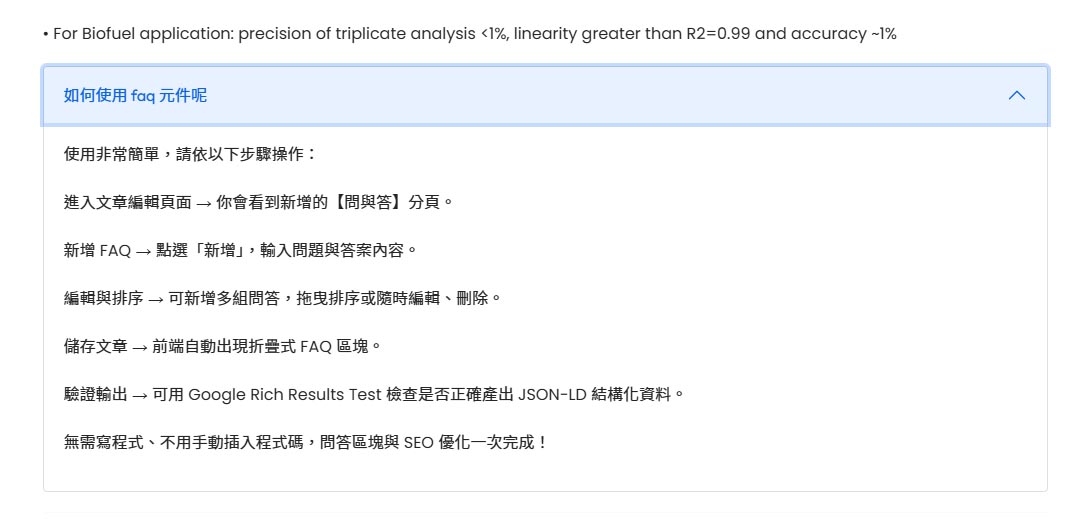
6. FAQ 常見問題(點開前先預設折疊)
?id=54 格式
/content/54-title.html(含數字 ID)
/faq/faq2.html(只有 alias,建議加 data-article-id)
Want Your Product Pages to Stand Out in Google and AI Search?
This FAQ structured data plugin is purpose-built for B2B inquiry-based product pages.
Simply insert a link in your product description, and the plugin will automatically:
✅ Fetch the corresponding article’s FAQ content (including Bootstrap accordion blocks)
✅ Convert it into FAQPage JSON-LD structured data
✅ Inject it into the of the page to boost semantic readability
✅ Pass Google Rich Results Test so your FAQ can show directly in search results
✅ Support various link formats & merge multiple FAQ articles seamlessly
✅ Run fully automatically, no template or JS changes required, just set it once and benefit long-term
Whether you're a marketer, developer, or managing a content-rich B2B product site, this is the best way to go beyond static templates and actively capture search attention.
SEO Booster for B2B Product Inquiry Pages
Auto-embed FAQ blocks, output FAQPage JSON-LD, and boost Google visibility
1. Why Do You Need This Plugin?
In the era of AI-driven search and Google Rich Results, your product pages shouldn’t just list specs and prices.
FAQs often reflect moments of search intent (MOT) — embedding and structuring them boosts both ranking and click-through rates.
2. Key Features
Inline Article FAQ
Automatically displays FAQ content from Joomla articles inside product descriptions (uses Bootstrap Accordion)Generates FAQPage JSON-LD
Enables FAQ-rich results via Google by injecting structured data intoNo Template Changes Required
Works out-of-the-box — no frontend or layout edits neededSupports Multiple Link Formats
Use SEF URLs, numeric IDs, aliases, anddata-article-idMerges Multiple FAQs
Combine multiple FAQ sources into one unified JSON-LD output on a single product pageOnly Triggers on Product Detail Pages
Prevents interference with category, listing, or vendor pages
3. How to Use (Quick Start in 90 Seconds)
Write your FAQ content using Bootstrap 5 Accordion inside a Joomla article
In your product description, insert a link like:
Or for better accuracy:
Clear Joomla cache and reload the product page
Go to Google Rich Results Test and test the product URL — you should see FAQPage detected
4. Who Is This For?
This plugin is ideal for:
Site admins building B2B inquiry or product showcase pages
SEO specialists looking to drive more organic traffic and increase CTRs
Brand owners or marketers aiming to enhance content, reduce customer service workload, and build trust
5. Plugin Info & Installation
Plugin Name:
plg_system_faq_djcatalogCompatible with: Joomla 4.x (tested on 4.4.5), Joomla 5 (not fully verified)
PHP Requirement: 7.4+
Install via: Backend → Extensions → Install → Upload ZIP → Enable
6. FAQ – Common Questions
?id=54 format
/content/54-title.html (with numeric ID)
/faq/faq2.html (alias only — recommend adding data-article-id for accuracy)
相關文章:
- 網站商品頁 SEO 增強:FAQ 結構化,提升 AI 搜尋曝光
- WordPress / JOOMLA 自製免費 程式 模組 外掛 下載
- Sitemap 網站地圖 外掛:打造 Google 友善的 SEO 基礎
- LINE 加好友增粉模組:打造你的數位生態圈
- 最近瀏覽的商品:提升 電商 轉換率的小模組
- 文章標題檢查外掛:偵測資料庫相容性 網站外掛
- 顯示全站所有文章:突破 Joomla 分類限制列表外掛
- YouTube 音訊播放器:WORDPRESS / JOOMLA 極簡聆聽體驗
- JavaScript 跑馬燈模組:Wordpress / Joomla 的網站公告工具
- 純 CSS 跑馬燈:wordpress joomla 的極簡公告模組
- 置頂跑馬燈:專為 wordpress / joomla 打造的輕量公告模組
Written by Ring
作者:益盛科技 專案經理
通過Google Ads-Measurement Assessment
15年 網站專案管理及人員管理實務經驗。具網站美編企劃繪製能力,具多媒體網頁設計與 RWD設計之實務經驗。
如果您喜歡我們的文章,歡迎分享!也歡迎查看我們的其他文章。如果有任何疑問也歡迎加line和我們聯絡